Visual guide
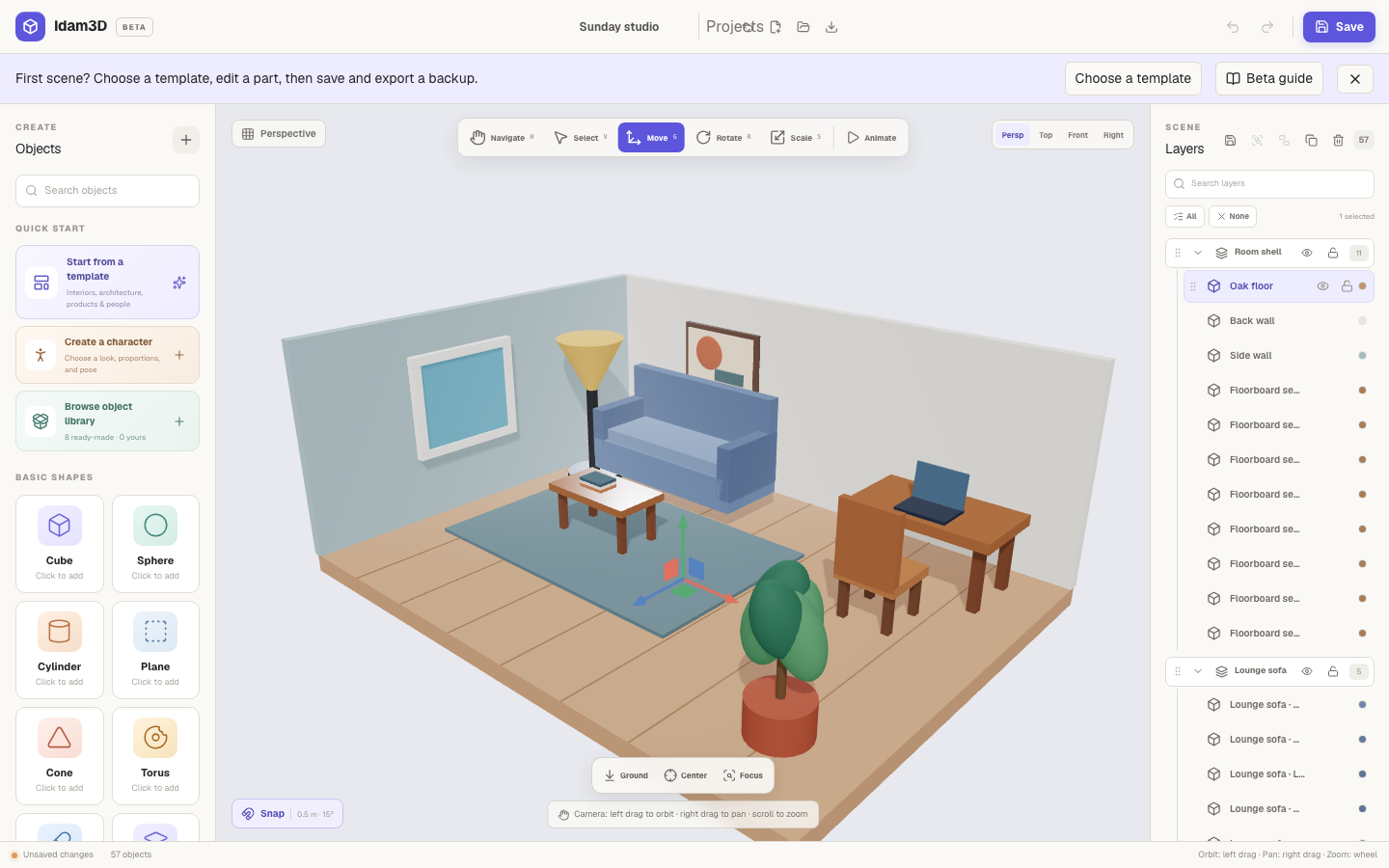
| Area | Purpose |
|---|---|
| Create | Templates, Quick add, shapes, characters, libraries, and GLB import. |
| Viewport | See, select, navigate, transform, frame, align, and distribute objects. |
| Layers | Search, select, group, reorder, hide, lock, duplicate, and delete. |
| Inspector | Edit object properties, materials, textures, scene lighting, rendering, and interactions. |
The Idam3D journey
Section titled “The Idam3D journey”Choose → Shape → Refine → Share
Choose a template or blank scene. Shape it with primitives and transforms. Refine materials, textures, lighting, and animation. Share an editable backup, PNG, or static GLB.
Interaction map
Section titled “Interaction map”- Click selects.
- Shift-click adds to selection.
- Left-drag orbits.
- Right-drag pans.
- Scroll zooms.
- Drag a GLB into the viewport imports it.
- Drag a layer reorders it.
- Animate reveals the timeline.
- Scene reveals lighting and interaction authoring.